
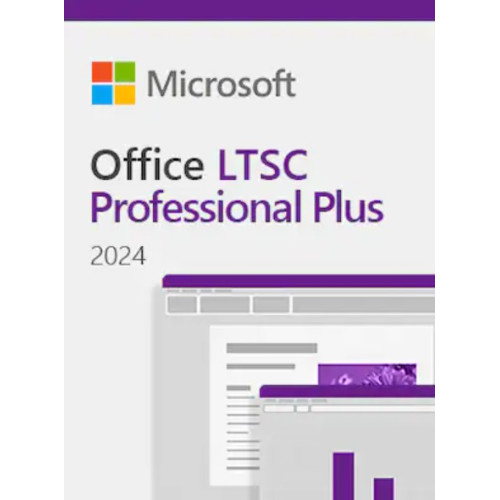
Microsoft Office, the most popular productivity suite of various applications, is widely used in both personal and professional settings. Thanks to its versatility and accessibility, MS Office 2024 is a perfect choice for casual and advanced PC users alike. Buy your Microsoft Office 2024 key for a great price today.
Microsoft Office 2024 Pro Plus Features
Microsoft Office 2024 is the Office suite masterfully tailored for personal and small business use. It allows its users to utilize essential tools for document creation and editing, data management and visualizing, e-mail communication, presentation making, and more.

The Microsoft Office 2024 suite includes:
- Microsoft Word 2024
- Microsoft Excel 2024
- Microsoft PowerPoint 2024
- Microsoft OneNote 2024
- Microsoft Outlook 2024
- Access to support resources.
This Microsoft Office 2024 key includes a lifetime license of MS Office 2024. To check its technical requirements, please visit Microsoft Official Site.
The 2024 edition of Microsoft Office upgrades user experience and productivity even further than its predecessors, offering various new features and changes.
Amongst the new features of 2024 Microsoft Office its users will find:
new default Office theme with Fluent Design principles applied for even more intuitive experience across all applications,
improved accessibility tools thanks to the Accessibility Ribbon,
mobile device integration for seamless picture inserting - straight from your Android device to your document,
new comment and reply features with a Like reaction.
Additionally, the individual Office programs have also received new features, examples include:
session recovery, easier collaboration, and ODF (OpenDocument Format) 1.4 support for Word 2024,
dynamic charts with dynamic arrays, new text and array functions, new IMAGE function, and improved speed and stability for Excel 2024,
live camera cameo feature, Microsoft Stream videos adding, and presentation recording feature for PowerPoint 2024,
improved search and meeting creation features for Outlook 2024,
new navigation features, enhanced Quick Notes, and improved Draw tab and ink features for OneNote 2024,
and many more.
Activation Guide
Start any Office application, such as Word or Excel.
When prompted, sign in with the Microsoft account that you used to purchase Office. This account is linked to your Office license.
If you have a product key, you may be prompted to enter it. You can find the product key in your purchase confirmation email or on the packaging if you bought a physical copy.
Follow the on-screen instructions to complete the activation process. This may include agreeing to the license terms and confirming your account details.
Once the activation is complete, you should see a confirmation message. Your Office applications are now ready to use.
How to activate Office LTSC
Download the Office Deployment Tool from the Microsoft Download Center
Once you have a copy of the ODT, the next step is to create a configuration.xml file. Use the Office Customization Tool (OCT) instead of a text editor to create your configuration.xml file.
Once you have a copy of the ODT and created your configuration.xml file, you can download the Office LTSC 2024 installation files to your local network. To do this, open an elevated command prompt, navigate to the folder where you saved the ODT and the configuration.xml file, and enter the following command: setup /download configuration.xml
Install Office LTSC 2024 by using the Office Deployment Tool - open an elevated command prompt, navigate to the folder where you saved the ODT and the configuration.xml file, and enter the following command: setup /configure configuration.xml
How to activate via telephone using a Multiple Activation Key (MAK), follow these steps:
1. Open an Office Application: Launch any Office application, such as Word or Excel.
2. Access Activation Wizard:
If prompted with the Activation Wizard, select “I want to activate the software by telephone” and click Next.
If the wizard doesn't appear automatically:
Go to File > Account.
Under Product Information, click "Activate Product”.
Choose “I want to activate the software by telephone” and proceed.
3. Select Your Country/Region: Choose your country or region to obtain the appropriate telephone number for activation.
4. Call Microsoft Activation Center: Dial the provided number. An automated system will guide you through the activation process. You will be prompted to provide the Installation ID displayed on your screen.
5. Enter Confirmation ID: After verifying your Installation ID, the system will provide a Confirmation ID. Enter this ID into the corresponding fields in the Activation Wizard. Click Next to complete the activation.
Please Note: For LTSC versions, customers must deploy it to install.
It does not link to a Microsoft account.
It is recommended that customers activate it via telephone (an automated system).
For this license, the important thing is that there is no redeeming website.
More info you can find on Microsoft website.
Microsoft Office 2024 Pro Plus LTSC Global Key
- Brand: Microsoft
- Product Code: 24Pp-ltsc
- Availability: In Stock
- $199.00
-
$35.00
- Ex Tax: $35.00
Related Products
Microsoft Office 2024 home and Business PC Retail Key
Microsoft Office 2024 includes updated or locked in time versions of Word, Excel, PowerPoint, OneNot..
$85.00 Ex Tax: $85.00
Microsoft Office 2024 Professional Plus MAK Key
Microsoft Office 2024 includes updated or locked in time versions of Word, Excel, PowerPoint, OneNot..
$249.00 $499.00 Ex Tax: $249.00
Microsoft Office 2024 Home and Business Key - PC/MAC
Microsoft Office 2024 includes updated or locked in time versions of Word, Excel, PowerPoint, OneNot..
$149.00 $250.00 Ex Tax: $149.00

Microsoft Office 2019 Home and Student Key
Microsoft Office Home & Student 2019 usage is just one of the most effective productivity suites..
$32.00 Ex Tax: $32.00
Tags: Microsoft, Office, 2024, LTSC, Pro Plus, global, serial, license, activation, genuine, product, cd, key, discount, price